
The original article was posted on Sirv’s blog
Archived Sirv article from 2020. Product screenshots, app recommendations, prices and statistics describe that period. Google Optimize closed on 30 September 2023 and is no longer an option. Google’s closure notice. For current image guidance, read Image SEO in 2026.
In 2020, thousands of businesses moved online quickly. Many of them chose Shopify.
Shopify makes it relatively easy to build an online store. It does not decide which changes will help that store sell more. This guide covers nine changes worth testing.
Sirv and Snap36 wrote this guide from their work in image hosting and product photography.
9 Ways to Increase Your Shopify Sales
Start with a measurable goal
Choose the number you want to change before changing the store. Conversion rate, average order value, profit, returns, and repeat purchases answer different questions.Shopify Analytics is fine for tracking sales and inventory, but attribution is its weak point. This might not seem like a big deal at first, but when you start running marketing campaigns, you really need to get your attribution right, or else you’ll waste your ad budget… We recommend using an external analytics service, like Google Analytics.
Use this guide on Google Analytics installation, and the official Shopify documentation to set up your analytics.
Tip 1: Always be A/B Testing

After you have your analytics sorted out, you can track what’s working to increase your Shopify sales.
It is difficult to isolate the effect of one store change from traffic, campaigns, seasonality, and outside events.
Some time frames can be busier than others - a change you’ve made could coincide with a new marketing campaign, bringing in some quality high converting traffic, or on the contrary, one of your products could hit the front page of Reddit and lead thousands of visitors which aren’t really interested in buying to your store.
In all of these cases, the before-and-after numbers are easy to misread. An A/B test isolates one change by showing both versions during the same period.
How does A/B testing Work?
A/B testing is an experiment where two variations of your page(s) are shown to users at random, then the best performing page version is chosen based on your goal conversion rate and statistical significance.Does Shopify offer native A/B testing?
No, Shopify does not provide built‐in tools for A/B testing, so you'll have to rely on an external service.What A/B testing tool to choose for Shopify?
- Google Optimize - It's an A/B testing platform from Google with great Google Analytics integration and easy to use interface. To learn how to set it up with Shopify, refer to this guide.
- VWO - Visual Website Optimizer is another easy to use tool for running A/B tests on Shopify. Here's how to integrate VWO with Shopify.
Tip 2: Have a Clear Call to Action
What is a call to action?
A call to action (CTA) is a link or button that signals the main action on a page. Different pages need different CTAs:Here is the buying path through Bremont’s Shopify store:
Navigate the screenshots above with arrows
Start with these rules:
Place your main CTA above the fold
‘Above the fold’ is the part of the page that is immediately visible to your users. Here’s a typical fold: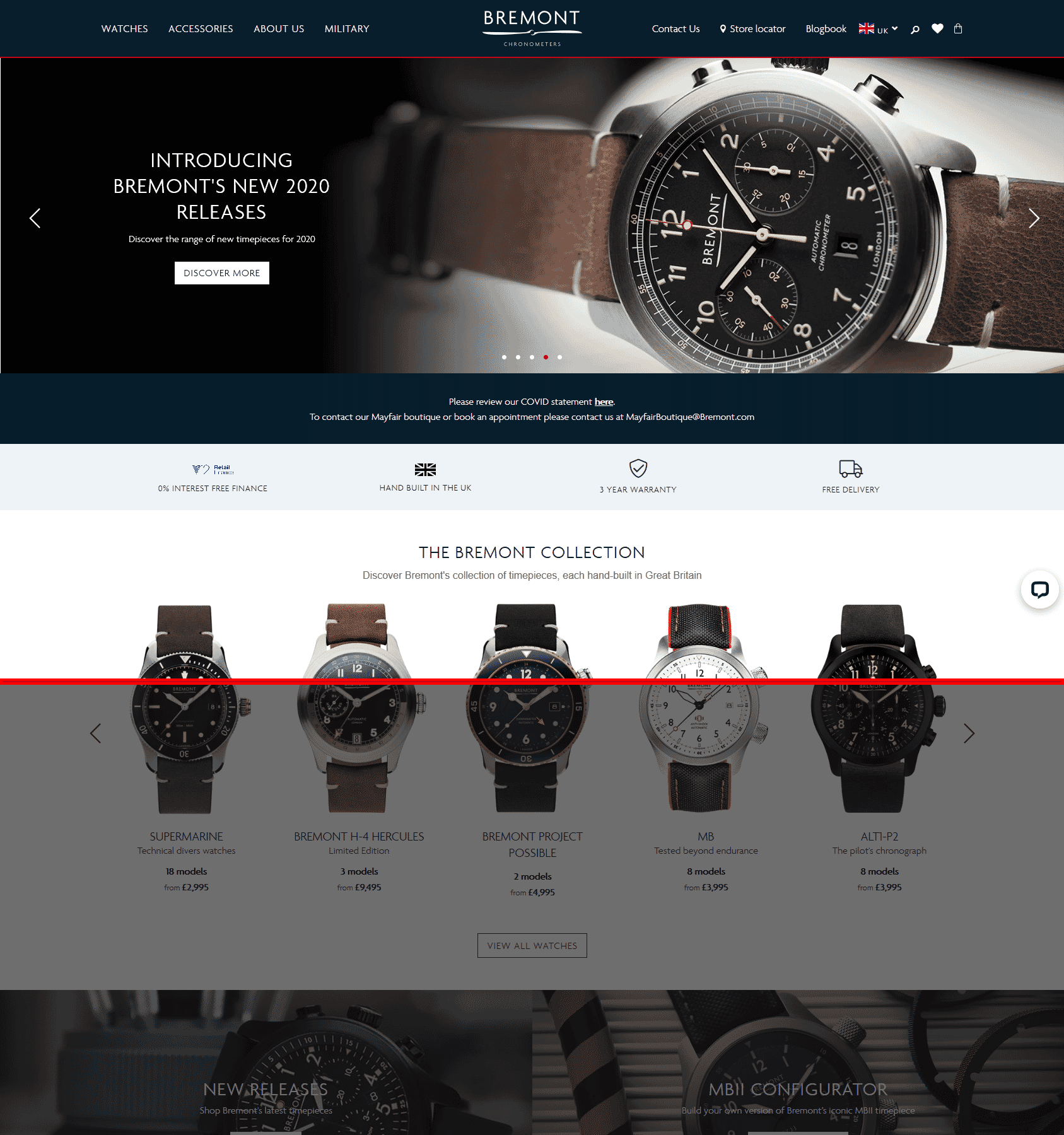
A typical fold on a Full HD screen
Create urgency
Experiment with your call to actions by supplementing them with items that add urgency, like:- Low stock warnings
- Today only deals
- Current viewers and recent purchases
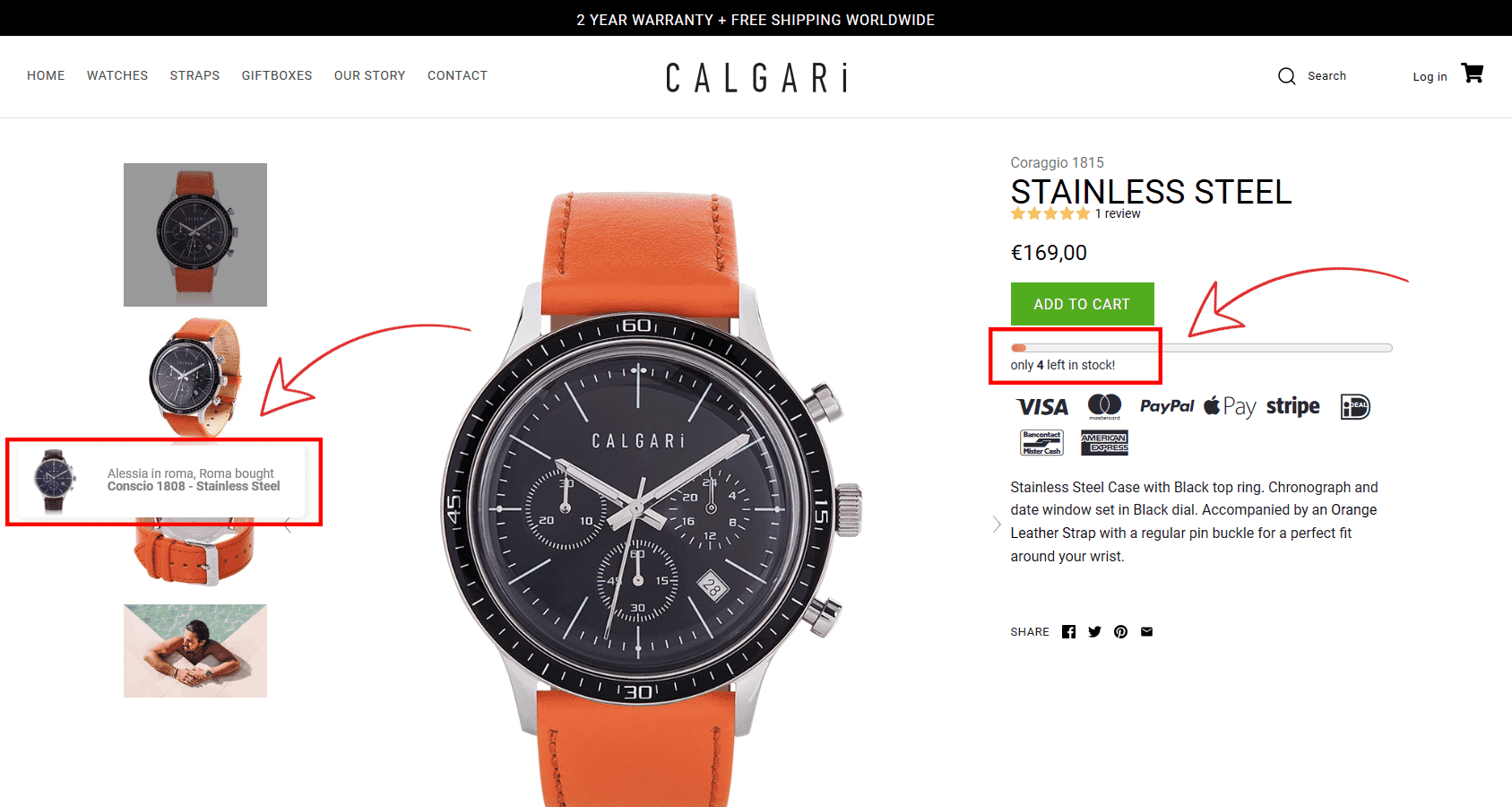
See what Calgari watches did there?
Use simple and proven phrases
Use familiar phrases.Some of the most common e-commerce CTAs include this copy:
- Homepage: Shop now, Shop the collection
- Collection/category page: Buy now, Buy now with 1-Click
- Product page: Add to Cart/Bag, Buy now
- Cart: Checkout
- Checkout: Pay now
Test CTA design and colors
So, you have your important CTAs placed above the fold, the copy is impeccably engaging, but your conversion rate is still low. What gives? You might want to look into your CTA design. If your CTA's contrast is bad, or if it's too small - people will just miss it, or get distracted by other elements on your page.Make sure to:
- Use contrasting colors. There’s plenty of tools that can help you with choosing colors.
- Use readable fonts. Avoid fancy ones, readability is key.
- Size matters. Don’t sacrifice your CTA’s size in favor of other elements on the page.
This 'Add to bag' CTA ticks all the boxes: it's readable, has great contrast with the page background, and is big enough to be noticed by anyone.
Place important information near the CTA on product pages
- Price (including any discounts)
- Availability
- Delivery Policy
- Aggregate Reviews
- Color, size, and quantity options.
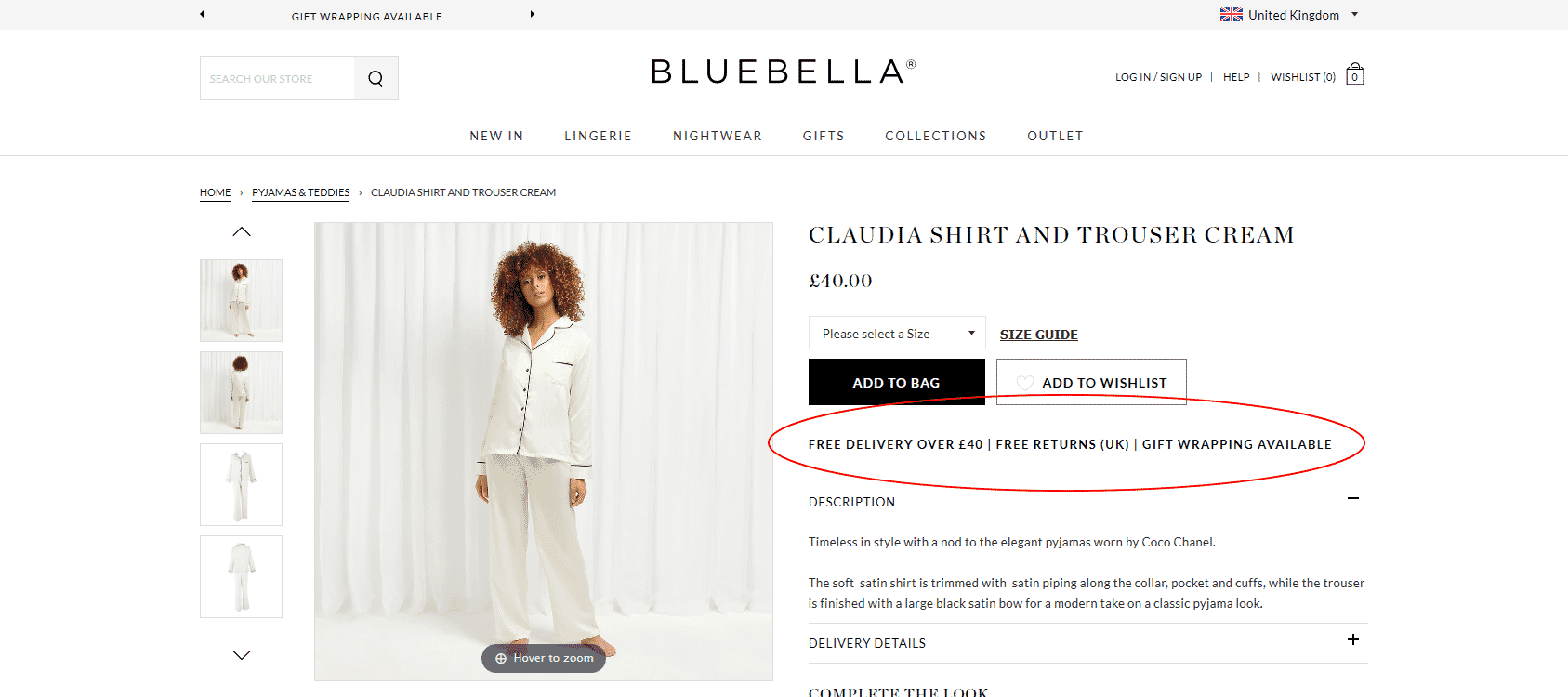
Bluebella get it right with delivery, returns, and gift wrapping information being clearly visible.
Tip 3: Provide Great Product Detail Page UX
Shopify handles much of the cart and checkout. The product page gives you more room to help or confuse the buyer.A product page needs:
- Use Recognizable image(s). Images are the focal point of all product detail pages. Make sure to include high resolution, zoomable product photos. Having at least one in-scale image can be important for some products.
- Add Image Zoom. After the global e-commerce shift to mobile, product images have to be zoomable. Here's one of the top-rated Shopify image zoom apps.
- Implement 360-degree spins. This technique has been found very effective for increasing conversion rates and decreasing returns. This is even more important in COVID-19 times. Here's how to add add a 360-degree product view to Shopify.
- Write concise product descriptions to communicate information that can’t be answered by product images or 360-degree spins. Get straight to the point.
- Price. Be clear about the full price. Surprise fees near checkout can lose a sale.
- Product availability. Users can get frustrated if you don't communicate clearly the stock status of your products. Out of stock? Allow users to add the item to cart, but clearly communicate that shipping will be delayed. Alternatively, set up restock notifications.
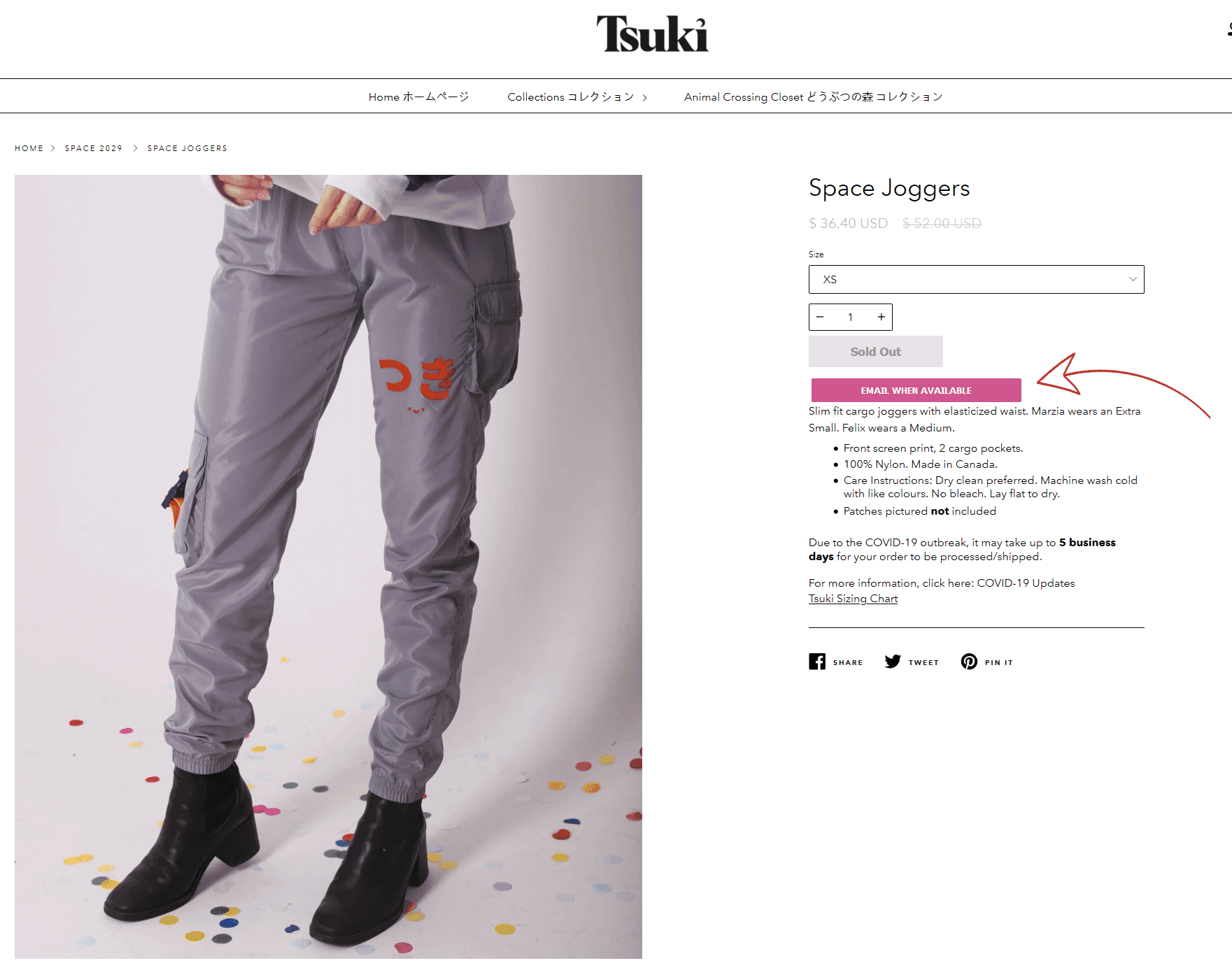
Tsuki sell out very quickly. Email reminders when products are back in stock make a lot of sense in their case.
- Make the Add to cart process noticeable with visual feedback. Make it obvious that the item has been added to the cart. Harry’s does a really good job:
- Product options. Especially important if items can't be added to the cart without a variation being chosen. Make sure to make other important elements related to your variations like pricing and availability clear too.
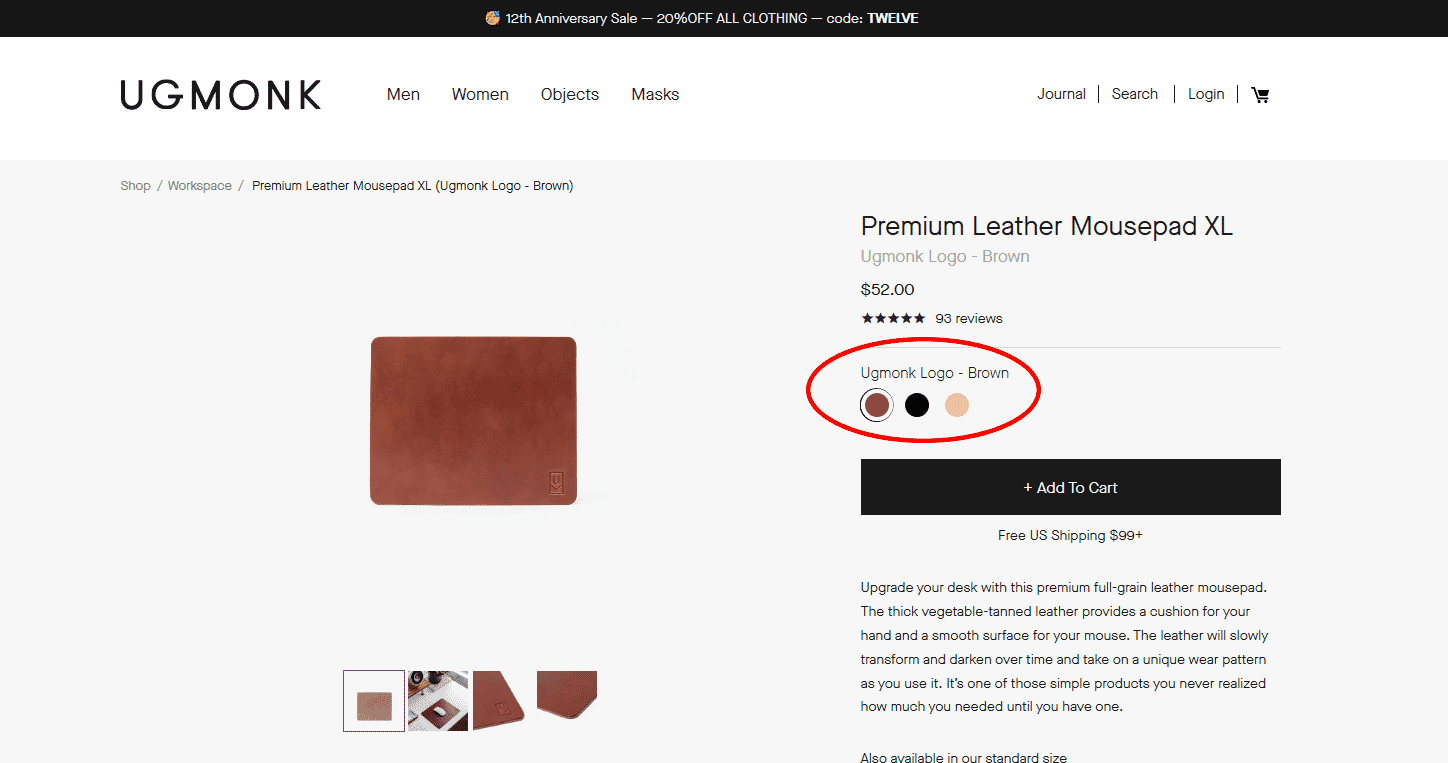
- Shipping policy. Lack of this information on the product page could be enough for some users to turn to your competitors. Be sure to list your shipping conditions on the product page. If your shipping is complex, consider adding a link to a shipping calculator.
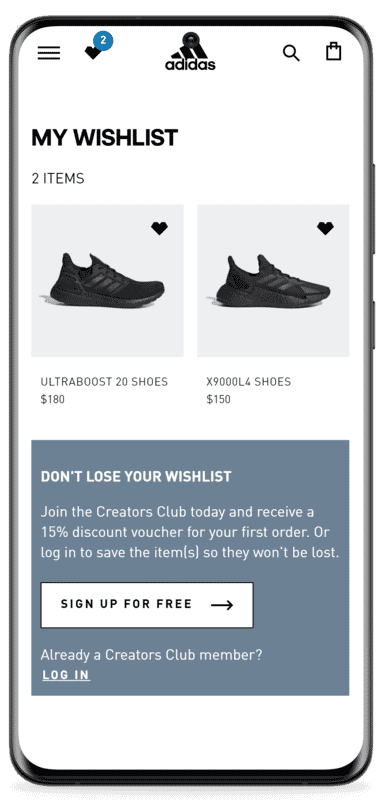
- Add a Wishlist. A wishlist saves products for later and gives the customer a reason to create an account. Adidas combines a quiet design, clear copy, and a discount offer.
- Optimize product reviews. Reviews should be filterable or sortable by rating, ideally with a rating distribution summary. Apps like Yotpo can help improve the customer review experience.
Tip 4: Go Beyond Product Images: 360 Spins and Videos
The product gallery is the most important source of information in your Shopify store. A lot of customers make a buying decision based on product imagery alone.During the COVID-19 pandemic, many people who didn’t shop online have now started doing so. A common concern among this group (and most online shoppers) is product returns. Simple product images might not be enough in this day and age.
Increase Shopify sales with 360-degree spins
360-degree Images are interactive experiences that allow buyers to rotate your product around and even up and over to mimic what they would do in a store. 360° imagery gives people the opportunity to fully explore a product and reduce or even eliminate any doubt they have selected the right item. Here's how it looks: Here's what actual Shopify store owners have to say about 360 spins:Q: Have your sales increased since you added 360 spins? A: We have definitely seen our sales increase as a result. Customers are spending significantly more time on the page & are able to see the product from all angles. It allows them to access high-ticket products on their computer screen and see all the necessary ins & outs before making a purchase without ever having to come into a brick & mortar store. It's great!
Q: Have you noticed a decline in order returns (unwanted cancellations)? A: Yes - absolutely. As customers now know all the intricacies from top to bottom of our mobility scooters & electric wheelchairs. There are no surprises like we had before when customers weren't able to view the product in 360 degrees. They can do this from the comfort of their home and it helps our business so much!
Q: Have you noticed any other benefits since adding 360 spins of your products? A: Customers are able to see a more detailed view of each armrest, footrest, how the chair looks, where the battery goes etc so when the product arrives at their door, they are already intimately familiar with the different features and functions of their mobility equipment. We value the technology so much!
Q: How do products that have 360 spins perform compared to products that don't? A: Definitely better because the customer has access to an in-depth picture of what the mobility scooter or electric wheelchair will look like prior to it arriving to their home. It makes it much easier to purchase online than ever before & we are very grateful for that.
Scott Zabriskie, Scooters 'N Chairs
High-ticket product merchants aren’t the only ones who can benefit from 360 spins:
“...360 spin technology helped us get a partnership with Goldbelly.com and a story in the Washington Post. Not only that, it adds to our credibility as a brand instantly. Our sales tripled after implementing the technology....”
Robin Davis, Big Shake's Hot Chicken
How to add 360 spins (360-degree product views) to Shopify?
Easily add 360 spins to your Shopify store by following these instructions.Start a free trial with Sirv
Get 5 GB of storage to test it out. Get started today!
Product videos
There's no single formula for a product video that works for every Shopify store. Customers' expectations differ greatly depending on the products you sell.Here are some types of product videos that can help increase sales on your Shopify store:
- Lifestyle videos should put your product in context, showing the product in use or why it’s valuable.
- Storytelling videos can work wonders for luxurious or innovative products.
- Explainer videos work great for more complex products that require "how-to" explanations of a function or even installation.
- Testimonial videos can maximize social proof. Entire brands have been built on celebrity endorsements alone.
- 360-degree spin videos work great on alternative sales channels (where you can't use an interactive 360 spin). If you’re utilizing other Shopify sales channels like Amazon, Facebook, or Instagram, 360-degree spin videos can be very compelling to your customers. You can convert 360 spins to videos in seconds with Sirv.
How to add product videos to Shopify?
You can easily add videos to your Shopify store with the Magic Zoom Plus app.Tip 5: Increase Average Order Value. Upsells and Cross-sells
Upselling and cross-selling is both the art and science of introducing customers to better or complementary products based on what they are currently interested in.Upselling and cross-selling can increase average order value. They can also help a customer choose the right product or remember something required to use it. Keep each recommendation relevant to the shopper and the product already under consideration.
For example, you can engage customers by showing a message which indicates “people who bought this, also bought this”. You can play around with wording to match your store, here’s how Vici Collection handles this:
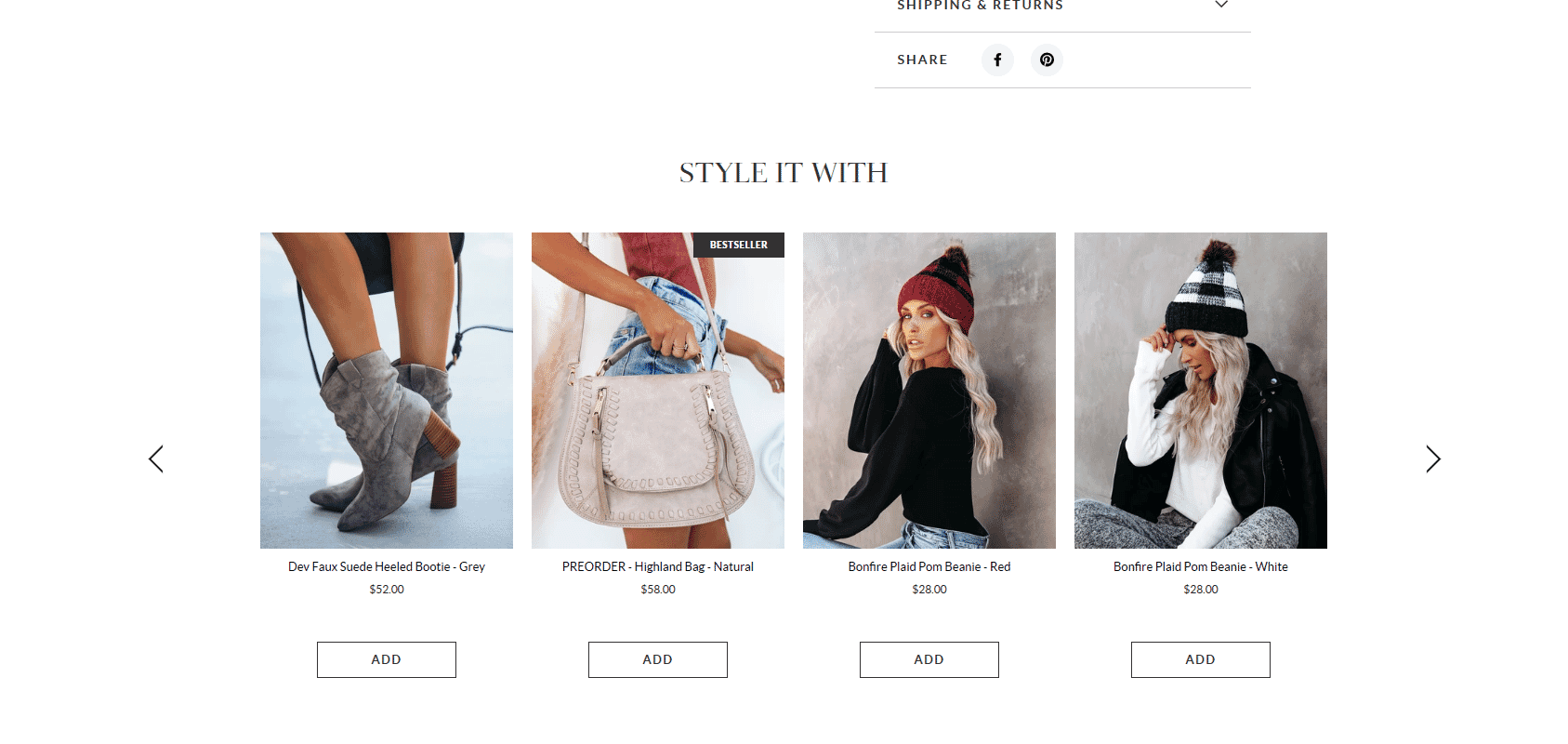
Vici nailed the cross-sells here.
Another great cross-selling tactic is to use the cart.
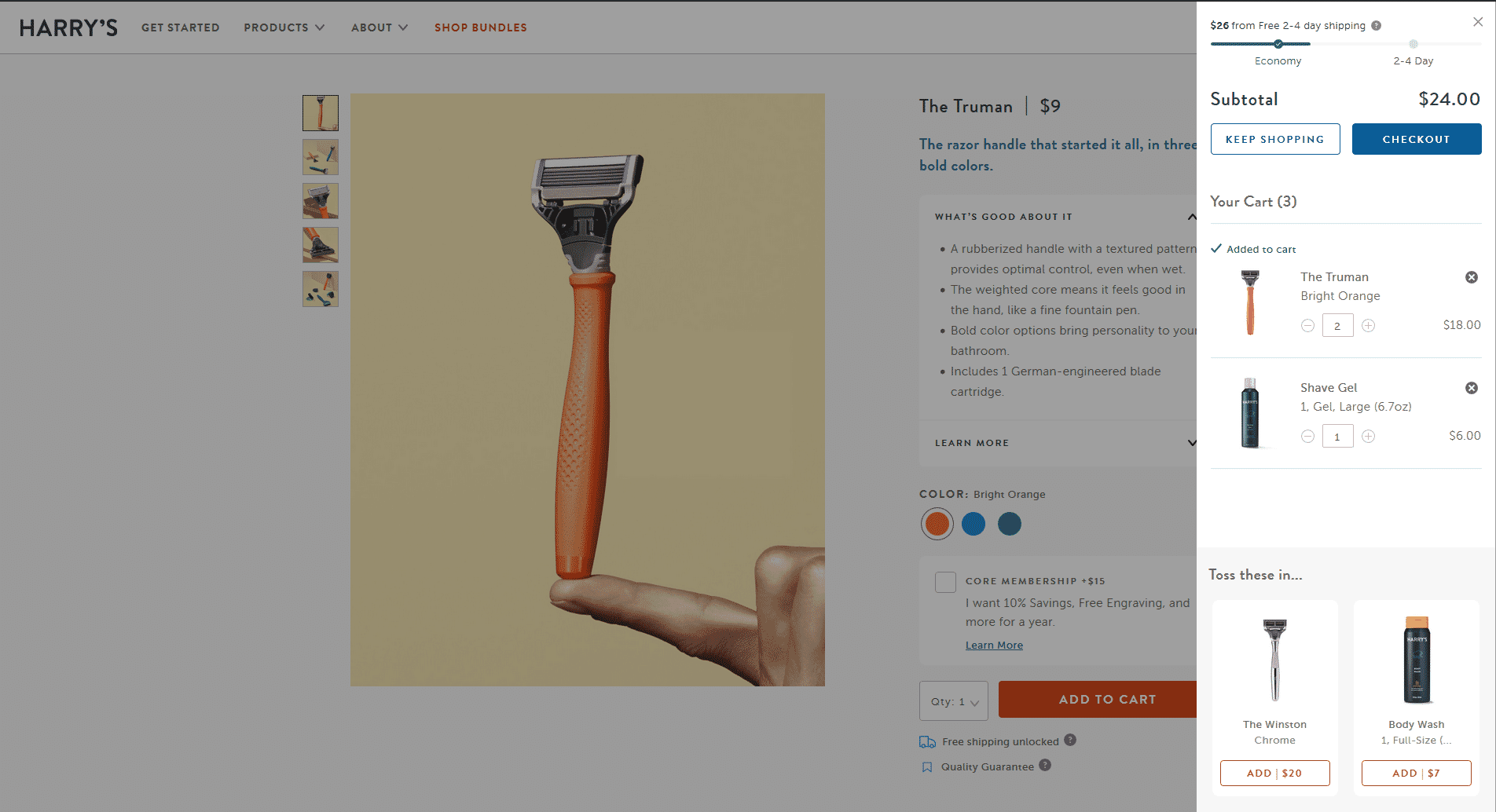
Harry’s is both upselling and cross-selling in the cart at the same time. I’m sure it works great for them.
There are several great Shopify apps that can help you increase sales with ups-sells and cross-sells: Reconvert and Honeycomb are the top-rated ones.
Further reading: How to Upsell to Customers and Improve the Shopping Experience
Tip 6: Do SEO (Search Engine Optimization)
Shopify is SEO friendly out of the box, but it does have some shortcomings. Here are some working tips that can increase your traffic:Avoid duplicate content
Duplicate content is content that appears on the Internet in more than on a single address (URL). In Shopify, this happens quite often when your theme links to products in the collection scope. Shopify does use URL canonicalization, but since rel canonical is considered to be a ‘recommendation’, this approach sends mixed signals to Google and can make it hard for the search engine to determine which pages should be given priority. Thankfully, it’s an easy fix for your developer.Write unique product descriptions
Unique and detailed product descriptions can make your website stand out both in the eyes of customers and search engines.To write a great product description that will boost your sales as well as Google rankings, it has to:
- Help the buyer make the purchasing decision
- Answer the questions that product images or 360 spins can’t
- Highlight the benefits (features) of the product thoroughly
- Target the right SEO product keywords
Optimize images for search
Well-optimised product images can bring traffic from Google Images. Sirv has a detailed guide to image SEO with the implementation details.Add structured data
Structured data is a special type of mark-up, which provides key information about your product.Google and other search engines use structured data in richer search results. Consider adding these types of structured data to your Shopify store:
Here’s how your product search results will look after implementing structured markup in Google Image Search: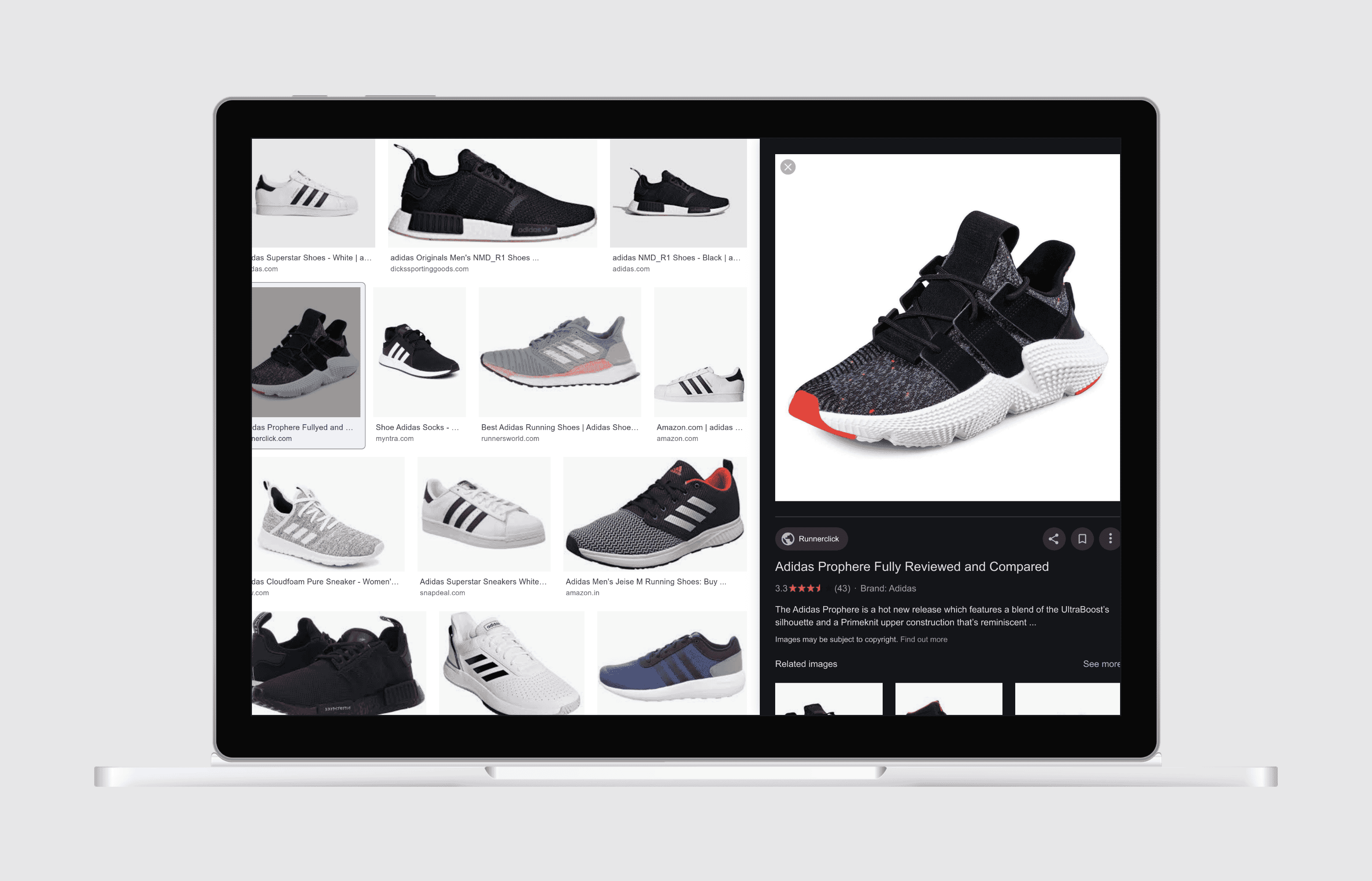
The image is very ‘shoppable’. No wonder Google Image Search is leading to lots of sales on Shopify stores.
For collection pages, you can use the CollectionPage structured data.
How to add structured data to Shopify?
This is best done by your developer to add it to your theme, and we wouldn’t recommend relying on apps for this.Tip 7: Focus on Email Marketing
Email marketing is one of the best channels to connect with your customers and generate sales.According to Barillance, e average email marketing ROI in e-commerce is 3,800% or $38 for every $1 invested.
Recommended Email Marketing Shopify apps:
Here are 8 Email campaigns every Shopify store should have:
Welcome Email
Welcome emails tend to have the highest open rate and helps to get the customer hooked with a discount.Referral email
Feed two birds with one scone: let your customers promote your store to their friends.Abandoned cart email
This email is important to remind customers that they forgot some stuff in their cart. Be creative and try to stand out.Order confirmation email
Try to cross-sell or ask people to share their purchase on social media.Upsell email
Encourage your customer to buy more. Personalized recommendations or curated emails can work very well.Win-back email
The customer hasn’t stopped by your store for a while? Send them a reactivation email with an offer or a curated collection of products they might be interested in. Personalization really helps with this.Survey email
Use incentives; people don’t like surveys unless you throw in a gift card or a nice discount.Thank you email
Make this email fun and shareable.Tip 8: Use Social Proof
Social proof is a psychological phenomenon where people assume the actions of others in an attempt to reflect correct behavior for a given situation. Humans view behavior as “more correct” if they see others doing it, too.Here are a few ways you can use social proof to improve trust and authenticity in your products:
- User-uploaded product images
- Number of products sold
- Display expert reviews for your products’ endorsements
- Mark your best products as “Popular Choice”
- Tagging Products To Create Social Proof
- Display contextual details (such as location) to allow users to identify with the reviewer
- Add human pictures to your testimonials
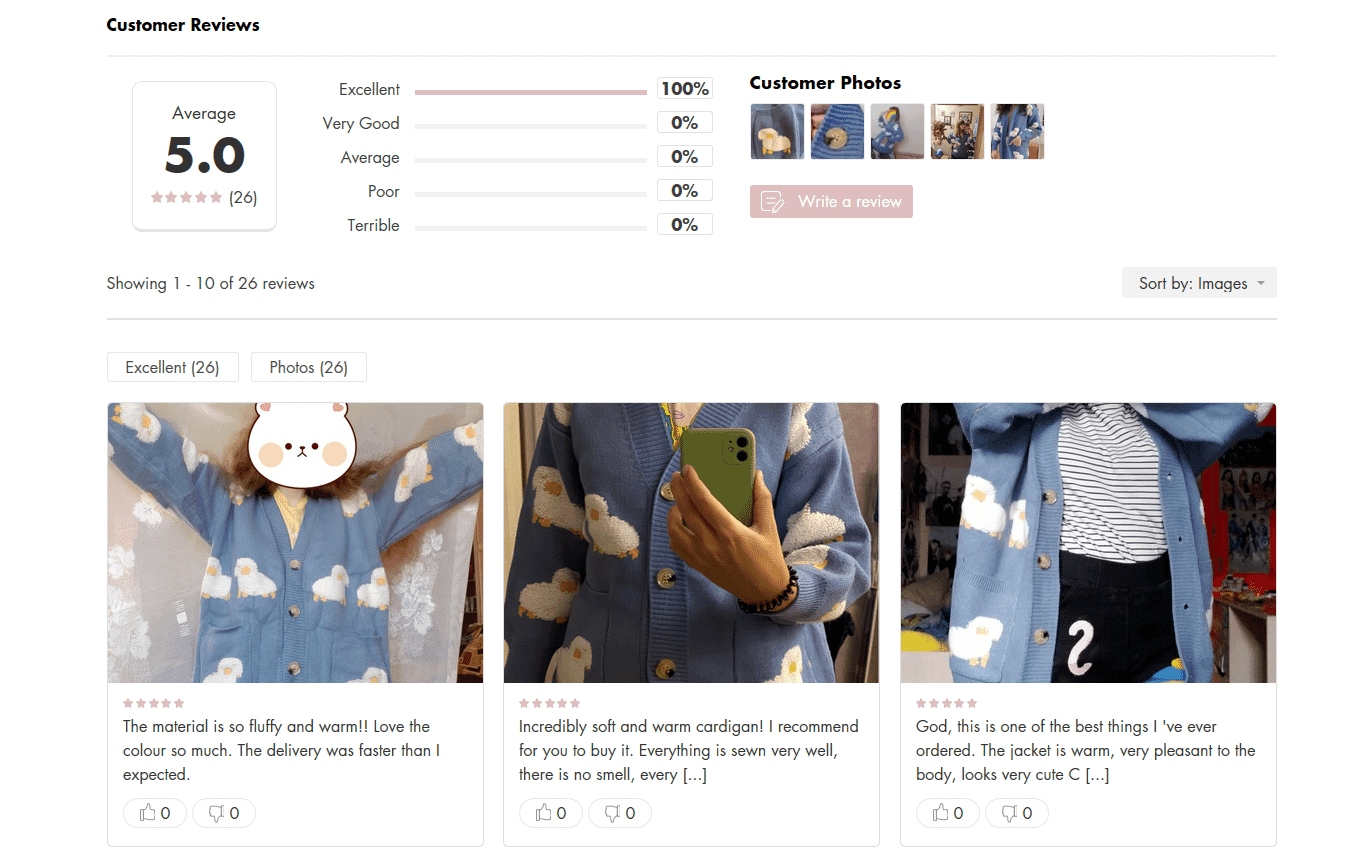
User-submitted photos of products look great on lianox.com
Tip 9: Reduce Friction at Checkout
The last thing you need is someone to abandon their cart because the checkout process was too confusing or tedious. Your goal is to make the check out process as intuitive and painless as possible. Don’t barricade the checkout with ads, coupons, additional offerings, or other distractions. And for repeat customers, consider express checkout options.Don’t ask for unnecessary information
No one likes filling out forms. Only request the necessary information from your customers during the checkout process. For example, allow them to pre-fill the billing address from the shipping address. Or, use their postal code to pre-fill other areas of the form like city and state (for U.S. customers). Making the form as simple and quick as possible will lead to fewer cart abandonments.Shopify allows you to configure some checkout fields:
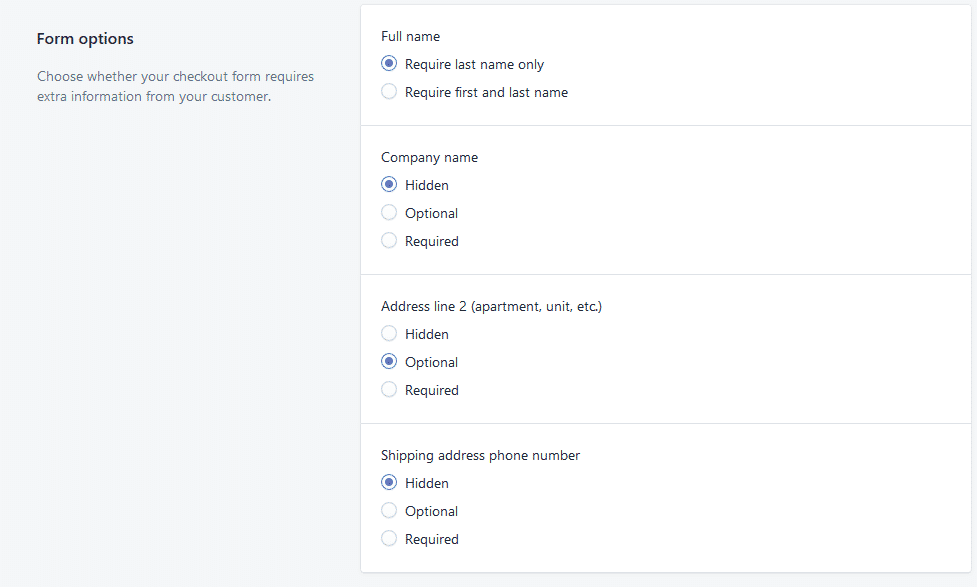
Change checkout copy to avoid common conversion pitfalls
Shopify has pretty well-optimized default values most of the time. Editing the text on your store’s checkout page can be something that really has a high impact on your conversion rate.For example, the default express checkout text can make customers think they must use one of the express options. Shopify adds a small ‘Or’ below them, but it is easy to miss:
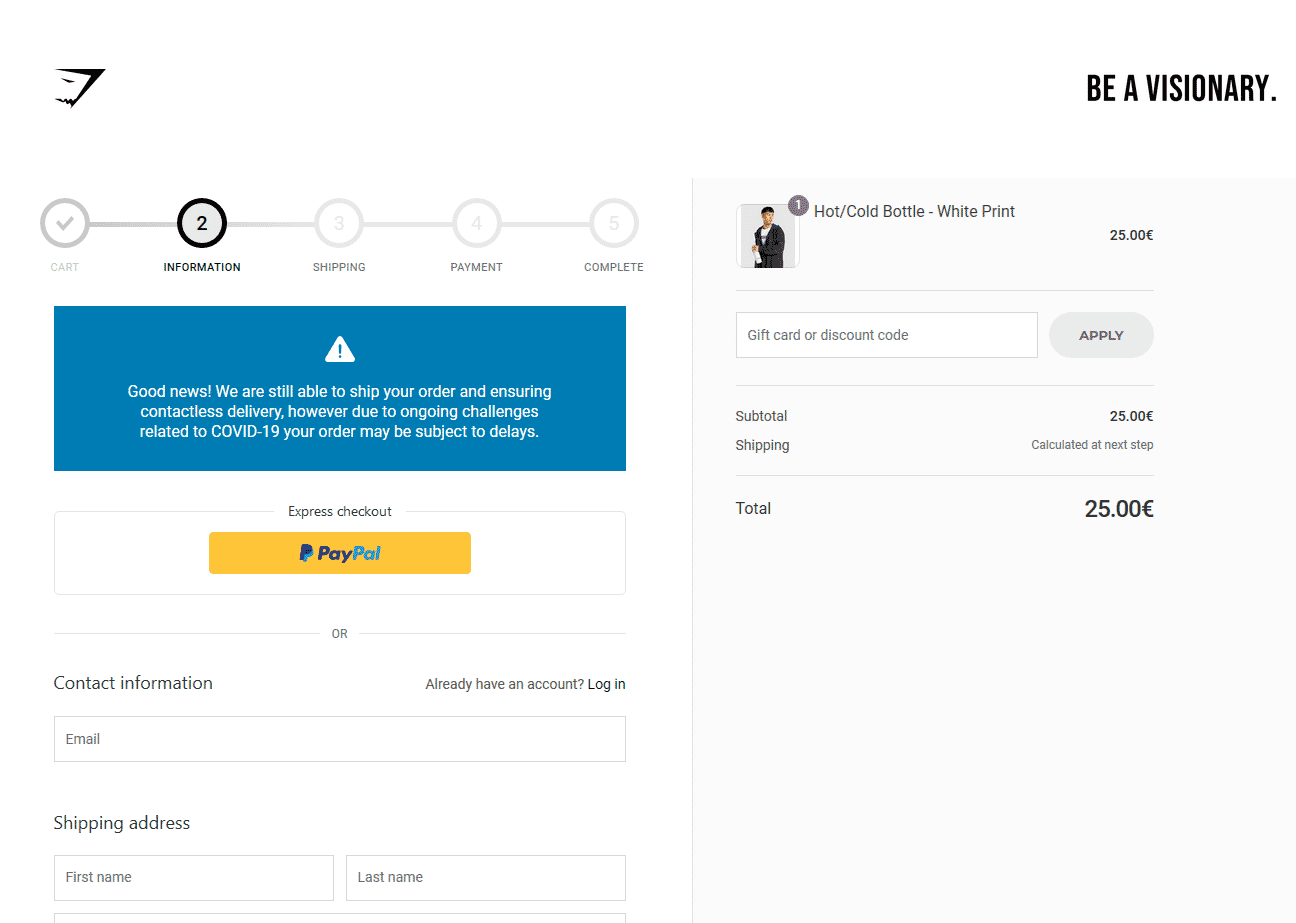
People can get confused and think that PayPal is the only checkout option here. Nice touch with the COVID-19 info though.
By editing your checkout page copy, you can address this and many other issues.
Out of the sandbox have written a great guide on changing your checkout page copy.
Express checkout
Express checkout removes forms and account creation from the buying path. Shopify supports several express checkout options.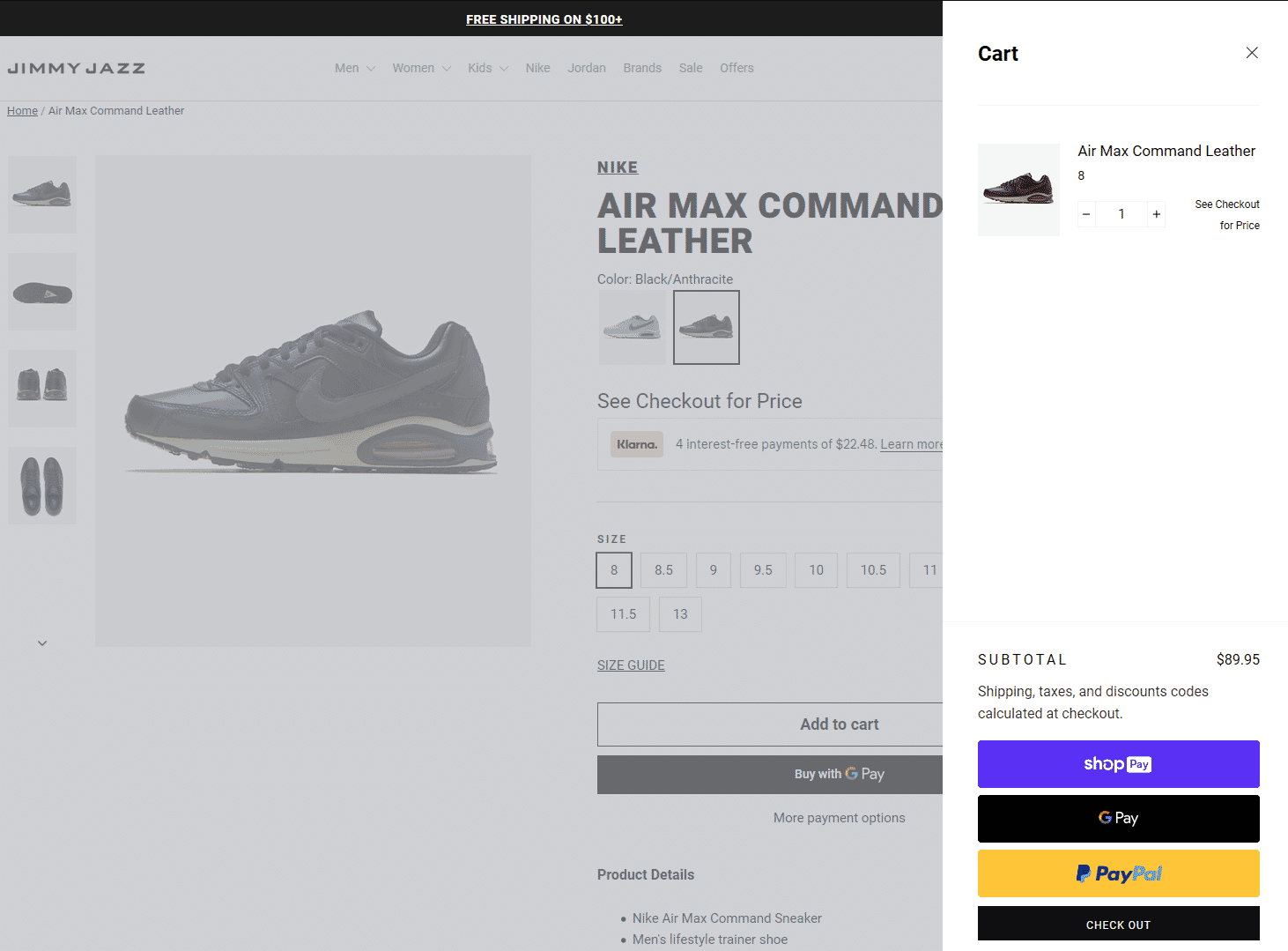
Express checkout in action.
Buy now, pay later services
Services like Klarna and Afterpay have become incredibly popular in the last couple of years. For example, Klarna handles a million transactions for 200,000 merchants daily [source].‘Buy now, pay later’ can definitely increase conversions for high-ticket products. They’re very easy to use for the consumer and don’t add additional costs (unless the person using it delays the payment). They’ll charge you, the business owner a fee between 4% and 6%. We’d recommend running a test and comparing the profit, not the conversion rate alone.
James Parsons from Content Powered has an interesting take on whether these services will improve your bottom line in the long run.
Keep Your Customers Happy
The nine ideas above are starting points. Measure the current problem, change one important thing, and compare the result. A higher conversion rate is useful only if the change also protects profit, order value, returns, and the customer's experience.Snap36 and Sirv can help with product photography, high-resolution image delivery, zoom, and 360-degree product views.