Travel discoverySpin to itinerary
Built from scratch
Earth Roulette
Press the button for somewhere unexpected, or give Wanderer an airport, budget and travel window to narrow the trip ideas.
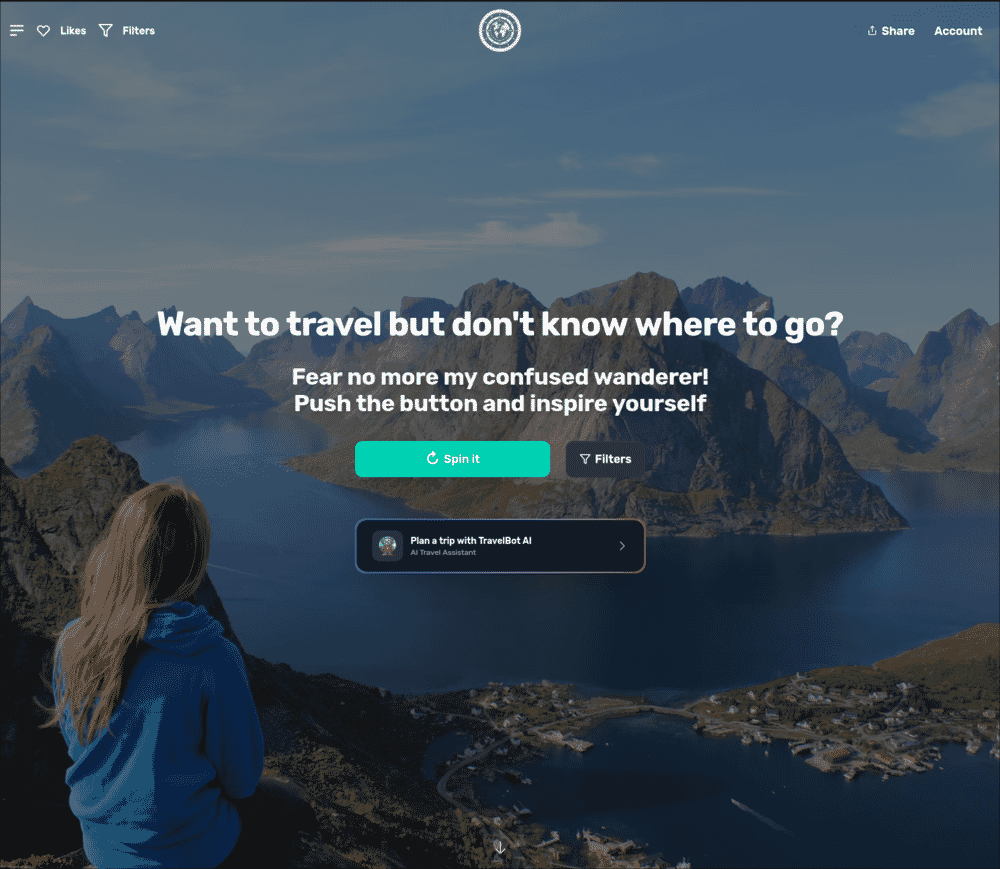
- 01Set the boundaries
- 02Spin the globe
- 03Inspect the surprise
- 04Plan the trip
Why it exists
Travel sites are very good at selling you a hotel after you already know where you are going. They are less useful when the entire problem is: where the hell should I go?
Earth Roulette starts there. Push the button and it gives you a place you might never have searched for yourself. The random result is why the product exists.
Filters and travel data
Pure randomness can send a broke beach person to an expensive ski resort, which is funny once. So I added filters for continents, countries, budgets, and activities. You can ask for somewhere warm, cheap, good for hiking, kid-friendly, romantic, accessible, or just far away from whatever weather you are currently complaining about.
There are more than 5,000 destinations in the database. Each one has enough context to decide whether the surprise is actually interesting: sights, food, weather, history, practical travel information, and the best time to go.
Save the good results to a bucket list, share them with somebody who needs convincing or check what travelling there would involve. The same destination data also underlies Travel Bot.
Wanderer adds the constraints
In August 2026 I added a more directed path beside the spin: enter a departure airport, budget, travel window and trip length. Wanderer returns a short set of round-trip ideas with outbound and return dates.
The fare data comes from cached provider observations. It is not live inventory, and the page says to recheck the price before booking. The implementation checks usable return dates, trip length and every calendar month covered by the requested window.
The membership work includes checkout, activation, stored preferences and digest delivery. Those are implementation facts. This page does not claim a subscriber count, retention result or proven demand for the paid offer.
One homepage revision made Wanderer too dominant. I restored the original random heading, Spin button and Filters beside the trip form. The build story explains that choice.
The iOS app is native now
The iOS app was a WKWebView pointed at the website. In September 2026 I replaced it with a SwiftUI app that calls the same APIs directly, in the ten languages the site speaks. Place and country names come from the same database rows the website reads, so a Japanese reader gets ハルシュタット rather than Hallstatt.
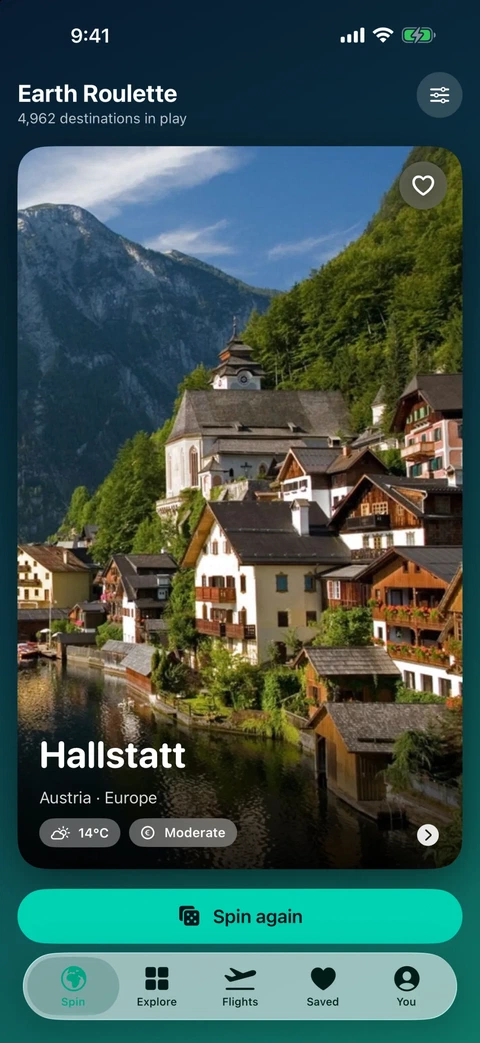 Spin
Spin
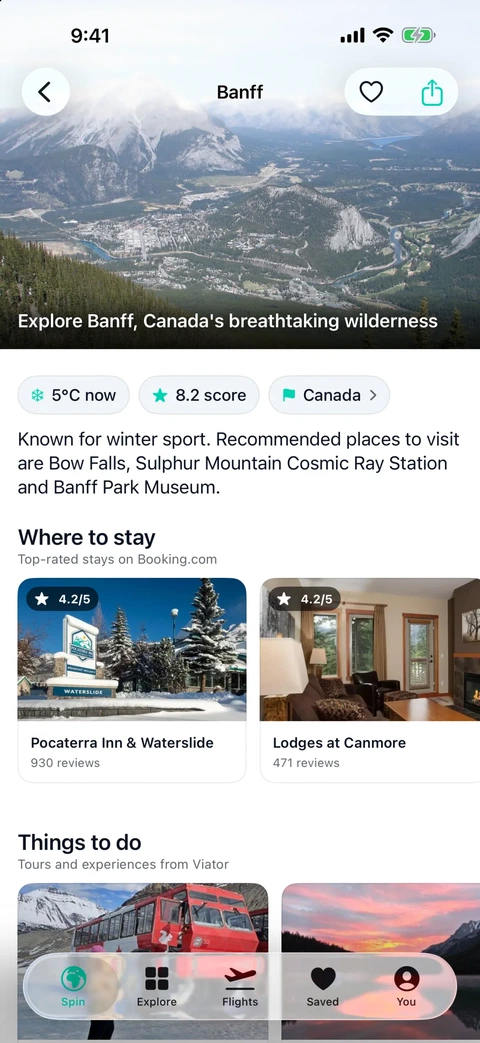 Destination
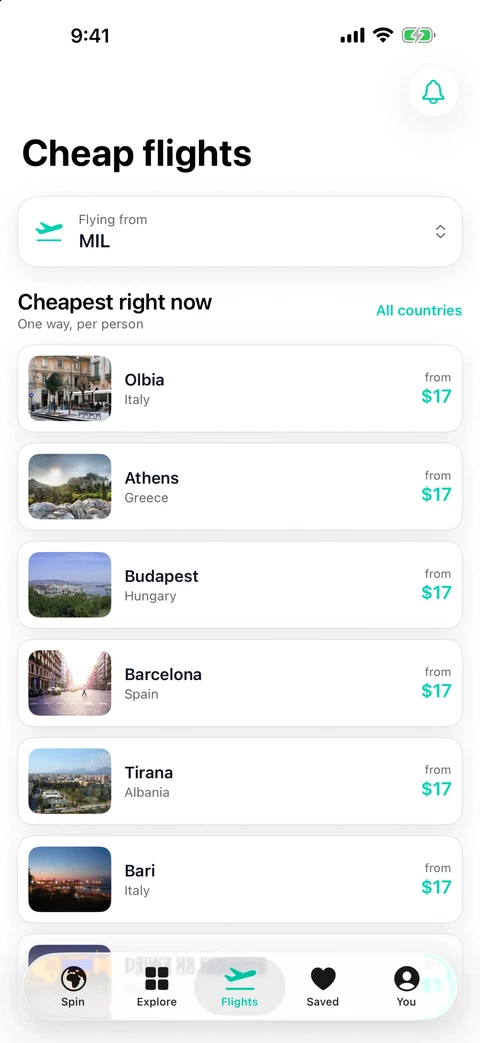 Flights
Rebuilding every screen against those APIs surfaced faults the web front end had been absorbing quietly: destination pages asking for fares by place slug and reporting “no fares” when the request was rejected, a home airport that reported success while writing nothing, hotel cards quoting rates scraped in 2024 under a “live prices” heading, and 506 airport codes pointing at same-named places on other continents. The build record goes through them.
What it became
It began as one random button because I thought choosing a destination should be more fun. Then came the filters, destination database, travel guides, flight search, accounts, saved places, multiple languages, and mobile apps.
I built the whole thing from scratch and still use the basic interaction. Spin, land somewhere unfamiliar, and see whether the idea survives ten minutes of research.
What users changed
People wanted more after the random spin. That led to filters, saved places, practical destination information, and mobile apps.
What remains imperfect
The database contains more useful material than the navigation exposes. Some of it is too hard to find.