Desktop + CLImacOS · Windows · Linux
Image preparation, on your computer
Press
Get a folder of images ready to use. Inspect what's there, resize and convert in batches, and compare the result before writing it. Built in Rust, with a desktop interface and a command line.
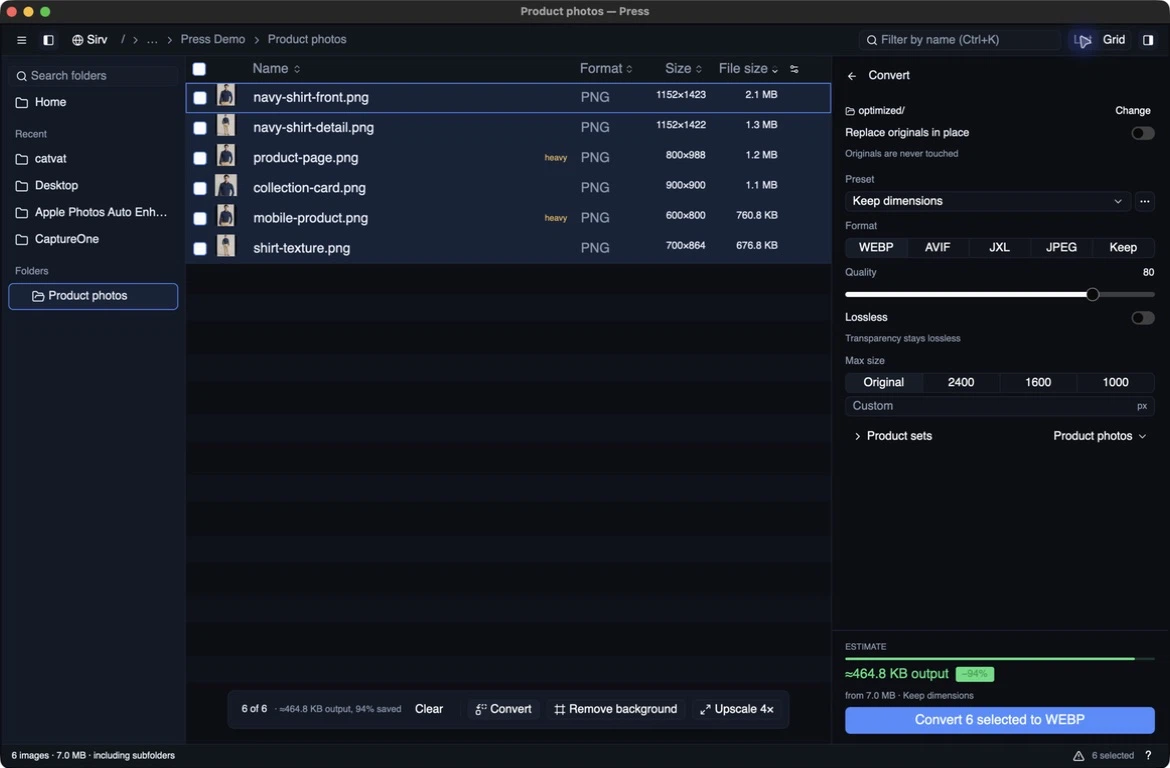
- 01Open your images
- 02Find what needs work
- 03Compare the result
- 04Export the batch
Start with the files you already have
A folder of product photos, screenshots or website exports often needs a few things before it is useful: a look through the files, smaller dimensions, a better format, perhaps a background removed. Press brings that work into one desktop app.
Open a folder or drop in a selection of images. The audit shows actual formats, dimensions and file sizes, with the heaviest files first. Browse as a list or a gallery, narrow the selection, and work on the images that need it. You don’t need an account to audit, compare or convert locally.
The format check reads the file, not its name. My first audit found 59 PNGs hiding behind WebP filenames on my own site. That was a useful first discovery, but Press has grown beyond telling me what was wrong with a folder.
See the difference before exporting
Choose WebP, AVIF, JPEG XL or JPEG, adjust the quality, and set a maximum image size. The comparison puts the original beside the proposed result. Step through the folder with the arrow keys while keeping those settings, rather than setting up each image from scratch.
The useful question is whether you would actually use the output, not just how many bytes it saved. The comparison gives you a place to make that decision before running the batch.
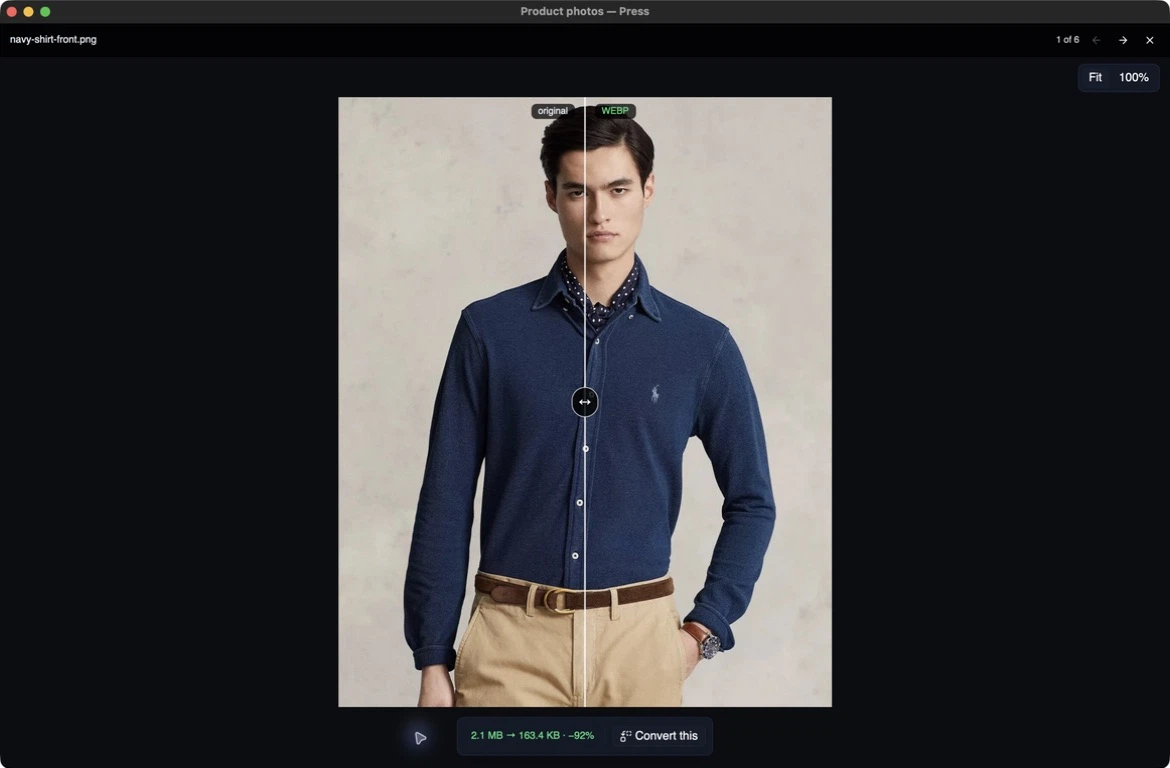
The current comparison view, captured from Press 0.6.6 on macOS. The divider lets me inspect the original and the WebP preview.
Batch conversion writes copies into optimized/ or a destination you choose, preserving the folder structure. In-place replacement is a separate, explicit choice with an originals backup. After a run, Press shows the files it actually wrote, including any that grew. The estimate before a run is a sample; the sizes afterwards come from the output files.
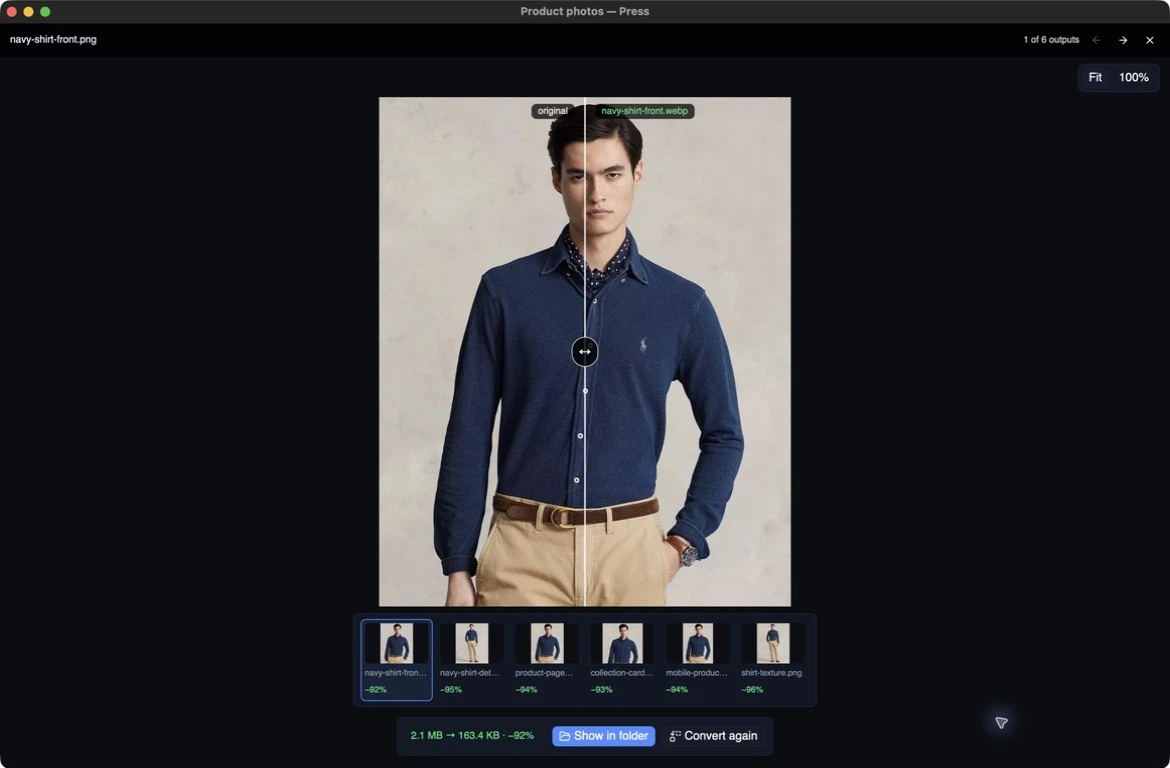
The finished batch: six actual output files. Capture details and demo photo credits.
Local tools, optional connections
Background removal and 4× upscaling can run locally too, using BiRefNet Lite and Real-ESRGAN through vision.cpp. On supported builds, Press downloads the models it needs and processes the image on your computer. You can compare the result, then keep or discard it.
There are also optional connections to Sirv and Sirv Studio. Pair a local folder with Sirv to see which files are missing or different and choose what to transfer. With a Studio API key, run hosted image operations such as background replacement, upscaling and product lifestyle generation, then inspect the returned image in Press.
Auditing and local conversion don’t upload your images. Sending files to Sirv or running a hosted Studio tool does.
Built to keep the interface out of the way
Press uses Rust and GPUI for its desktop interface. The scanner reads image headers before doing expensive decoding; the list and gallery are virtualised, and thumbnails load off the main thread as they come into view. Opening a large folder doesn’t mean decoding every image before you can browse it.
The command line handles the same local audit and conversion work without opening a window. JSON reports make it usable from scripts and agents:
# Inspect a folder and get a machine-readable report.
press audit ./images --json

# Preview the conversion plan without writing files.
press convert ./images --format avif --max-edge 1600 --quality 60 --dry-run

# Write converted copies to a separate directory.
press convert ./images --format avif --max-edge 1600 --quality 60 --output ./exports
The command reference covers the options, JSON reports and exit codes. press skill prints the bundled instructions for coding agents.
A pleasant detour, still finding its shape
Studio is my main project. Press is an enjoyable change of pace: a different stack, a smaller application, and image work I can try directly on my own files. Like my other recent projects, I build it with AI assistance.
I don’t have its entire future mapped out. I enjoy improving it, and using it keeps suggesting things worth building next.
Press already sits alongside ImageGuide: ImageGuide audits images on the web; Press works on the files on your computer. I can see it becoming a useful way for people to discover Studio as their needs grow. For now, I want it to be a desktop tool worth using in its own right.
Try it on a folder
Press is open source, with packaged builds for macOS, Windows and Linux. Get Press for installation options, or browse the source.
For more on how this fits alongside my main work: I get bored. I still ship.
What remains imperfect
Camera raw, HEIC and HEIF files are counted but not decoded or converted. Local AI needs model downloads and a supported runtime; setup differs by platform.